

TL;DR
- Business process automation examples are most effective when you begin with high-volume, repetitive activities.
- Choose a workflow, define some “done” endpoint and measure cycle time, error rate and handoffs.
- Use workflows/BPM for structured approvals, RPA for legacy steps bound to UI and iPaaS for integrations.
- Include early control points: logging, permissions, exception paths and audit trails.
- Ship little and often, and keep humans in the loop for edge cases.
- So, if the workflow deals with releases and getting to data, harmonize automation with delivery and security.
By 2026, more than 30% of enterprises to automate tools for a majority of their network tasks, according to Gartner. All thanks to the valuable rewards of business process automation (BPA) including improved business performance, scalability, innovation and staff morale. The key point here is to automate repetitive workflows, saving time for more urgent and complex workflows. In addition, BPA is a certain way to minimize costs, simplify the onboarding of new human employees, and, possibly, even create a unique culture of innovation.
It is also important to note that business process automation is relevant to companies of completely different sizes.
Whether it goes about large enterprises with a significant variety of workflows or about startups that need help with regular activities, such as handling invoices, BPA is here to help. In this article, we will discuss 10 real-world examples of business automation.

BPA vs RPA vs Workflow
True BPA refers to complete end-to-end process automation across people and systems, with well-defined steps, owners, and reporting. RPA shines brightest when a system has no API, and a bot needs to click through screens like a human. Workflow automation sits in the middle ground: It routes tasks, approvals, and notifications, but sometimes does not modify data within other systems unless you integrate it.
Quick rule of thumb: Workflow tools when the process is largely “route and approve,” RPA if you need to touch legacy UIs, BPA/BPM tools plus integrations when you want an entire process that cuts across ERP, CRM, email and files. When teams evaluate business process automation use cases, they often end up combining all three.
10 Examples at a Glance
Below is a compact view of the BPA examples covered in this update, including the usual “time-to-value” range teams plan for during a first rollout.
| Example | Department | Complexity | Time-to-travel | Best-fit tools | KPI |
|---|---|---|---|---|---|
| Invoice processing | Finance | Medium | 3–6 weeks | OCR + workflow + ERP integration | invoice cycle time, error rate |
| Approvals workflows | Ops/Finance/IT | Low | 1–3 weeks | Workflow + e-sign + chat/email routing | approval time, SLA compliance |
| Employee onboarding | HR/IT | Medium | 3–6 weeks | HRIS workflow + IAM automation | time-to-access, onboarding time |
| Vendor / supplier onboarding | Procurement | Medium | 4–8 weeks | Forms + workflow + KYC checks | time-to-active vendor |
| Customer support ticket triage | Support | Medium | 2–5 weeks | Helpdesk rules + AI classification | first response time, backlog |
| Claims / case processing | Finance/Legal/Support | High | 6–12 weeks | BPM + document processing | cycle time, reopen rate |
| Procurement (PO requests) | Procurement | Medium | 4–8 weeks | BPM + ERP + approvals | PO cycle time, maverick spend |
| Order management / fulfillment updates | Operations | Medium | 3–7 weeks | iPaaS + event routing | late orders, status accuracy |
| Compliance & audit trails | Security/Finance | Medium | 4–8 weeks | Policy + logging + approvals | audit readiness, exceptions |
| Reporting & dashboards automation | Analytics | Low | 1–4 weeks | ELT + scheduled reporting | manual hours saved, freshness |
These are examples of business process automation that work across most industries because they rely on consistent steps more than on personal judgment.
10 Real-World Business Automation Examples
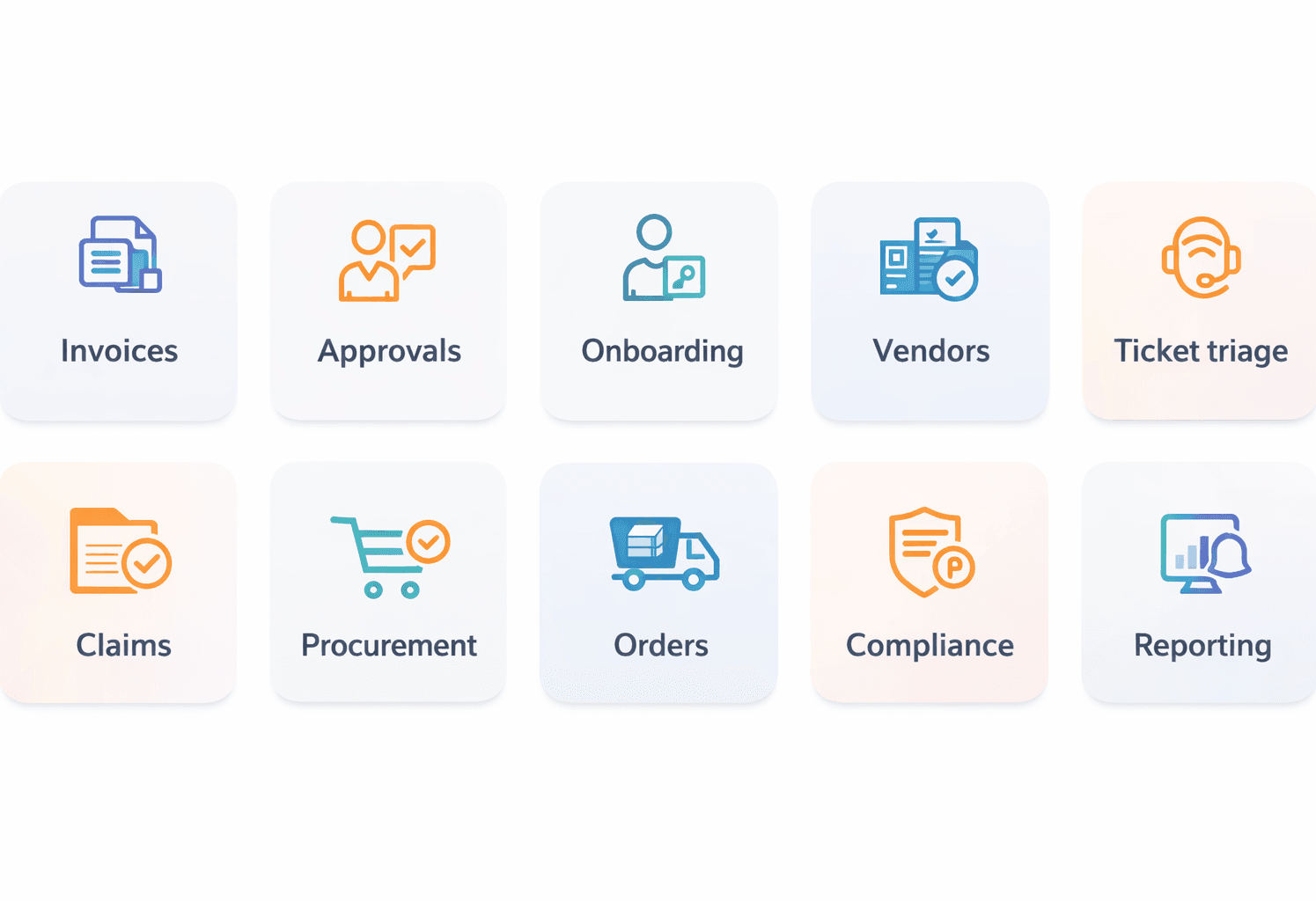
These are examples of business process automation that work across most industries because they rely on consistent steps more than on personal judgment.
1. Invoice processing
What gets automated: capture, validate, code, and route invoices for approval
Trigger: invoice arrives via email, portal, or EDI
Steps: OCR/extract → match PO/GRN → flag exceptions → approve → post to ERP
Systems involved: email, OCR, ERP/accounting, DMS, approvals tool
Typical KPI uplift: shorter cycle time, fewer duplicate payments
Risk + control: approval thresholds, 3-way match rules, exception queue with audit logs
2. Approvals workflows
What gets automated: routing and sign-off for access, spend, or policy exceptions
Trigger: a request form submission (or a ticket status change)
Steps: validate fields → route by rules → collect e-sign → notify stakeholders
Systems involved: forms, chat/email, ticketing, IAM (optional)
Typical KPI uplift: faster approvals, fewer “lost” requests
Risk + control: segregation of duties, required attachments, approval history
This is a business process automation example where “speed” comes from fewer handoffs, not from removing checks.
3. Employee onboarding
What gets automated: account creation, access requests, equipment tasks, training reminders
Trigger: HRIS record created or start date reached
Steps: create accounts → assign groups → issue requests → confirm completion → close
Systems involved: HRIS, IAM/SSO, ITSM, device management, LMS
Typical KPI uplift: less waiting for access, fewer first-week blockers
Risk + control: role-based templates, manager approval, least-privilege defaults
4. Vendor / supplier onboarding
What gets automated: intake, validation, risk checks, contract steps, and activation
Trigger: vendor submits a form or procurement starts a request
Steps: collect docs → verify details → run checks → approve → create vendor in ERP
Systems involved: forms, DMS, KYC/verification service, ERP, e-sign
Typical KPI uplift: faster vendor activation, fewer missing documents
Risk + control: required fields, watchlist checks, approval gates for high-risk vendors
5. Customer support ticket triage
What gets automated: categorization, priority, routing, and suggested responses
Trigger: new ticket in helpdesk, email, or chat
Steps: classify intent → detect urgency → assign queue → propose reply → escalate edge cases
Systems involved: helpdesk, CRM, knowledge base, AI classifier (optional)
Typical KPI uplift: shorter first response time, reduced backlog
Risk + control: confidence thresholds, human review for sensitive topics, logging
6. Claims/case processing
What gets automated: intake, document checks, routing, and milestone tracking
Trigger: claim submission or inbound document arrival
Steps: validate data → collect missing docs → assign adjuster → track milestones → close
Systems involved: case system, DMS, email, rules engine, payments (optional)
Typical KPI uplift: fewer “stuck” cases, clearer SLA performance
Risk + control: exception handling, mandatory review steps, complete case history
7. Procurement (PO requests)
What gets automated: request intake, budget checks, approvals, and PO creation
Trigger: new PO request form or catalog checkout
Steps: validate request → check budget → route approvals → create PO → notify requester
Systems involved: procurement tool, ERP, approvals, supplier catalog
Typical KPI uplift: faster PO cycle time, fewer incomplete requests
Risk + control: approval matrix, budget thresholds, audit trail per PO
8. Order management/fulfillment updates
What gets automated: status sync, exception alerts, and customer notifications
Trigger: warehouse scan, carrier event, or inventory change
Steps: ingest event → update order status → notify buyer → escalate exceptions
Systems involved: OMS, WMS, carrier APIs, email/SMS, CRM
Typical KPI uplift: better status accuracy, fewer “where is my order” tickets
Risk + control: idempotency checks, reconciliation jobs, alerting on mismatches
9. Compliance & audit trails
What gets automated: evidence collection, approval logs, policy exceptions, and reporting
Trigger: a change request, access grant, or periodic control check
Steps: capture evidence → verify controls → route exceptions → generate audit reports
Systems involved: IAM, ticketing, logging/SIEM, policy tooling, document storage
Typical KPI uplift: less audit scramble, fewer missing approvals
Risk + control: immutable logs, access controls, retention policies
10. Reporting & dashboards automation
What gets automated: data refresh, report distribution, and alerts on thresholds
Trigger: schedule, event, or KPI threshold breach
Steps: ingest data → validate → update dashboards → send report → notify owners
Systems involved: warehouse, ELT, BI tool, email/chat, monitoring
Typical KPI uplift: fresher reporting, fewer manual exports
Risk + control: data quality checks, access rules, versioned definitions
If you’re gathering business process automation examples in preparation for your first project, select one workflow with clear owners, stable inputs and measurable outputs.
How to Choose the Right Automation Use Case
Business process automation can cover a wide array of processes, ranging from business intelligence to DevOps maintenance services. However, which workflows should you, specifically, prioritize? Here are some tips on how to choose the right use case for BPA:
- Assess your current processes to spot bottlenecks.
- Identify repetitive tasks that, basically, follow the same or similar patterns.
- Consider business value to ensure BPA in areas that generate the biggest output from a business standpoint.
- Evaluate your existing tech stack to ensure that your automation initiatives align with it and its specific demands.
An ideal area for automation is email categorization and auto-response. Automated systems, often powered with AI, can provide informed responses to regular questions and readdress only more complex or top-priority customer queries to human agents.
If you’re also comparing who can implement automation end-to-end, check this DataArt vs AppRecode expert comparison before you shortlist a partner.
From Strategy to Delivery: Expert Implementation from AppRecode
If, on the other hand, you’re interested in turning business process automation use cases into a functioning rollout, then concentrate on discovery, integration design and controls from day one. Teams frequently couple workflow automation with quality delivery work, but particularly when changes touch production systems a focused DevOps Health Check can bring risks to the surface early.
If your automation depends on reliable releases, CI/CD consulting helps set gates, tests, and rollback rules. For end-to-end delivery support, AppRecode’s DevOps development services cover implementation, documentation, and handover, and you can also review client feedback on AppRecode’s Clutch profile.
An Important Tip on Business Process Automation
It is important to note that, regardless of their advancement level, Business process automation tools cannot replace human employees completely. All such solutions require supervision and configuration support from human employees.
BPA solutions also make mistakes, and they lack human creativity and unique perspectives. That’s why human involvement is vital in almost all processes, at least when it comes to writing prompts for AI-powered BPA tools. So, the key to success is in striking the right balance between the use of BPA solutions and manual effort.
That’s what our founder speaks of this question:
“Business process automation is not a way to replace people. Instead, it is a certain option for empowering them. It can help businesses eliminate repetitive work while focusing on more important and complex matters that can drive real value.”
Volodymyr Shynkar, Founder at AppRecode
Final Thoughts
Automation of business processes is helping innovation and efficiency in numerous fields. Some notable business automation examples include using BPA tools for HR management, automated test coverage for software systems, and many more.
The most important part is where to automate a business process. After all, automation in the future is intelligent. Here, it’s about choosing the right tooling and striking the right balance between BPA tools and human specialists. In such cases, you will have excellent chances of joining the list of the best examples of automation in business. AppRecode, a company with extensive expertise in DevOps automation and a strong portfolio presented on Clutch, is ready to help you.
FAQ
What business processes should we automate first to see ROI quickly?
Imagine that finance receives 800 invoices each month and two people spend mornings checking duplicates and finding an approver. That is a better first candidate than an annual planning process that changes every year. The invoice work is frequent, its normal route is known, and the team can count both the delay and the manual effort.
Use the same test for other ideas. Write down monthly volume, minutes per case, waiting time, error and exception rates, systems involved, and the person who owns the result. Include the cost of a wrong outcome. Routine access requests, report delivery, and approval routing may score well. A politically disputed workflow or a task built on several failing applications usually will not.
Automate only the predictable part at first. The invoice pilot could capture the file, look for a duplicate, and choose the approver. Missing purchase orders and unusual amounts go to a visible human queue. Existing approval limits and separation of duties stay in place. This makes the first release useful without disguising exceptions as successful cases.
Measure the old process before the pilot: total cycle time, hands-on minutes, backlog, rework, and cost per completed item. Measure the same things afterward, then subtract licenses, implementation, support, and exception work. If the project “saves 100 hours,” explain the benefit: less overtime, avoided hiring, quicker payment discounts, or capacity redirected to other work.
Agree with finance and the process owner on the result that justifies expansion. Fast payback is most plausible when automation removes one measurable bottleneck and touches few unreliable systems. It is not guaranteed by choosing the process with the largest headline estimate.
How long does it take to roll out business process automation, and what is a typical timeline?
There is no reliable universal timeline. A contained approval flow using one platform may reach a pilot in a few weeks, while an end-to-end finance, procurement, or onboarding process can take months. The difference is rarely the number of boxes in a workflow diagram. Identity design, API availability, data quality, policy decisions, testing, security review, and change management usually determine the schedule.
Plan the rollout in stages. Discovery should identify the process owner, users, current steps, exceptions, volumes, controls, baseline measures, and definition of done. Design then covers the future flow, data contracts, permissions, failure paths, and integration approach. Implementation includes configuration or code, test data, logging, and operational dashboards. After that come user acceptance testing, a limited pilot, training, production release, and a period of close monitoring.
Estimate the pilot separately from full adoption. A demo that processes ten clean examples is not a production rollout. Include time for rejected inputs, duplicate events, unavailable systems, rollback, privacy review, audit evidence, and support handover. Legacy desktop automation can look fast initially, but UI changes and unattended execution controls may add maintenance work. AI classification needs evaluation data, confidence thresholds, and a human route for uncertain cases.
Publish assumptions instead of a single date: systems in scope, number of integrations, expected volume, availability of test environments, approvers, and regulatory reviews. Use stage exit criteria and revise the forecast after discovery. A small, controlled release can be intentionally quick; a high-risk process should not be rushed to fit a marketing estimate.
What tools should we use, and how do we choose between BPA/BPM, RPA, iPaaS, and AI automation?
Ask where the work waits. If a case spends hours waiting for people to approve, review, or supply information, a workflow or BPM product is a natural coordinator. It can keep the case state, apply timers, assign tasks, and show where work is stuck. BPMN provides a standard way to draw business processes, but buying a BPMN-capable product does not fix unclear rules.
If the process mostly copies data among SaaS products with supported APIs, look at an iPaaS. Its connectors and mapping tools can be quicker to maintain than custom point-to-point code. When an old application offers no API and a worker must click its screens, RPA may be the practical bridge. Treat that robot like a brittle adapter: protect its account, monitor screen changes, and keep instructions for manual processing when it breaks.
AI is a different choice. Use it for work that is hard to express as fixed rules—classifying messages, extracting document fields, or drafting a summary. Test it with examples taken from the real process. Low-confidence and high-impact results need a route to a person. Record the model or prompt version so a later decision can be reconstructed. NIST’s AI RMF similarly calls for measurement, governance, and clear human-AI responsibilities.
One process may use all four tool types. The workflow owns the case; iPaaS moves records; RPA touches one legacy screen; AI reads an attachment. That is fine when each part has a visible job and an owner. Map data, decisions, exceptions, access, volume, and support before selecting brands. Prefer the smallest combination the team can test, explain, and operate after the implementation partner leaves.
What integrations are required (ERP/CRM/email/files), and what happens if our systems are messy or legacy?
Make a source-of-truth table before designing connectors. For every important object—customer, employee, invoice, order, approval—name the system allowed to create or change the authoritative record. Then list only the fields and events the automation needs. ERP, CRM, email, files, ticketing, identity, and e-signature systems may all appear, but that does not mean every pair needs two-way synchronization.
Messy estates reward a narrow first boundary. Choose one stable trigger and one useful outcome. Validate records as they enter, reject incomplete ones into a queue with an owner, and use a durable ID instead of matching a vendor or employee by name. Save the IDs used by both systems plus a correlation ID.
Supported APIs and events are easier to observe than screen clicks. If a legacy program has no API, an RPA bot can operate its interface, but document the screen version, account, timeouts, and manual fallback. A changed button label should create a visible failure, not quietly update the wrong field. File imports need similar care: replaying yesterday’s file should not create yesterday’s invoices again.
Profile the data before promising the schedule. Count missing keys, duplicates, invalid dates, and disagreements between systems. Decide which team corrects each problem. During the pilot, leave the old route available and reconcile totals, amounts, and final statuses. An HTTP success response only confirms that a request was accepted; it does not prove the end-to-end business result is correct.
If a dependency fails, preserve the case and show operators what can be retried safely. It is better to automate one observable exchange well than conceal a fragile legacy estate behind a large workflow.
How do you ensure security, compliance, and audit trails for approvals, finance, and customer data?
Draw the data path first. Mark personal, financial, confidential, and regulated fields from intake to every destination. For each step, name who may read it, change it, approve it, and administer the automation. People, bots, connectors, and service accounts all need least-privilege access. A requester must not become the final approver through an unnoticed role mapping. NIST SP 800-53 groups relevant controls under access control, identification, audit and accountability, incident response, and contingency planning.
Give automation accounts their own identities. Keep secrets in a managed vault, rotate them, encrypt traffic and stored sensitive data, and restrict production changes. An AI suggestion should not hide accountability for a high-impact decision. Record the model or prompt version and define when a person must review the result, consistent with the governance and oversight approach in NIST’s AI RMF.
For one case, the audit record should reconstruct the story: original request, important input, rules and versions applied, approvals and rejections, exceptions, retries, and downstream writes. Use synchronized timestamps and correlation IDs. Protect logs against unauthorized alteration and set retention from actual legal and business requirements. Test that an auditor can retrieve evidence; collecting logs that nobody can interpret is not audit readiness.
Failure tests belong in the security plan. Revoke a bot credential, duplicate an event, make a dependency unavailable, and verify that the workflow stops safely. Sensitive values should not spill into alerts or debug logs. Review access after transfers and departures, and keep an exception owner. Legal, privacy, security, and process specialists still need to interpret obligations for the industry and jurisdiction. No generic BPA platform can certify compliance merely because audit logging is enabled.
How should we measure whether business process automation is working after launch?
Create the scorecard before the pilot. Capture today’s cycle time, hands-on time, queue age, completed volume, rework, exceptions, and missed service targets. Add the outcome the department actually cares about: duplicate payments, first-day account access, first support response, late orders, or another process-specific result. A counter showing 10,000 bot runs tells you that software ran, not that customers or employees were better served.
After launch, split the numbers. Straight-through cases and human-reviewed cases should not be blended into one reassuring average. Look at regions, products, risk tiers, and complex cases. Check the exception queue every week: how old is the oldest item, why did it fail, and who owns it? If staff now repair records in spreadsheets outside the workflow, include that work rather than declaring it eliminated.
Put cost and control on the same page. Count licenses, infrastructure, vendor charges, maintenance, support, and manual exception time. Compare them with avoided errors, released staff capacity, faster cash collection, or reduced overtime. Ask finance to review the assumptions. Track skipped approvals, access violations, data-quality failures, and missing audit events; a faster process with weaker control is not a successful automation.
Give the dashboard an owner and schedule decisions, not merely reviews. Define the level that triggers a fix, a pause, or retirement. Compare a phased rollout or control group when possible so seasonal volume does not masquerade as improvement. Revisit the scorecard after users adapt and after policy or system changes. The final test is simple: did the process produce a better controlled outcome at an acceptable total cost?
Which business processes should not be fully automated?
Three warning signs argue against unattended automation: the decision can seriously harm someone, the rules are unsettled, or the data cannot be trusted. Employment, credit, healthcare, legal status, safety, and large financial commitments often need accountable review. Rare cases with severe consequences also deserve more caution than their low volume suggests. NIST’s AI RMF treats human-AI arrangements as a design choice and calls for clear oversight responsibilities.
Assistance may still be valuable. Software can collect documents, check required fields, summarize a case, or suggest a category. A qualified person then makes the consequential decision. That reviewer needs the evidence, enough time, authority to disagree, and a way to record the reason. An approval click added after money was transferred or access was revoked is not real oversight.
Do not encode a broken policy. If departments disagree about ownership, exceptions, or the source of truth, automation will execute the disagreement faster. Simplify the process, remove pointless handoffs, and settle the rules first. A task that happens twice a year may also remain manual because building and maintaining automation costs more than doing it carefully.
Risk tiers provide a practical boundary. A reversible, low-value action with reliable inputs can complete automatically. A high-value amount, low-confidence AI result, unusual customer situation, or conflicting record should pause in a named queue. Some actions can be prohibited from automation entirely.
Watch overrides, appeals, false positives, missed deadlines, and outcomes across affected groups. Revisit the boundary when law, policy, data, or system behavior changes. The aim is not the highest possible percentage of straight-through processing. It is reliable automation for routine work plus visible, accountable judgment for cases where the consequences require it.
How should automated workflows handle failures, retries, and exceptions?
Design failure behavior before the happy path goes live. Give every case an identifier and state so operators can see which steps completed, which failed, and what the next safe action is. Make write operations idempotent whenever possible: repeating a payment request, user-creation event, or invoice import must not create a second real-world effect. Store correlation IDs across systems and log business outcomes without leaking secrets or personal data.
Retry only failures that are likely to be temporary, such as a timeout or a brief rate limit. Use bounded attempts with increasing delay and randomization, then stop. Microsoft’s documented Retry and Circuit Breaker patterns distinguish transient retries from blocking repeated calls to an unhealthy dependency. Permanent validation errors should go directly to correction, not loop until a queue is exhausted. A dead-letter or exception queue needs an owner, service target, alert, and safe replay procedure.
Multi-step workflows may need compensation. If inventory was reserved but payment failed, the process might release the reservation rather than pretending nothing happened. Microsoft’s Compensating Transaction guidance stresses recording each completed step, designing repeatable compensation where possible, and recognizing that some irreversible actions require manual intervention. Define points of no return and put critical validation before them.
Test dependency outages, duplicate messages, delayed events, partial writes, expired credentials, and operator replay. Verify that dashboards show queue age, failure reason, retry count, and stuck cases. Provide a manual fallback for essential work and reconcile downstream systems after recovery. Do not let an automation silently mark a case complete when one integration failed. A robust workflow fails visibly, contains the damage, preserves evidence, and gives a trained person a documented route to finish or reverse the work.