Ship faster without breaking things. That is the point. Teams that invest in CI/CD and automation see real gains. In 2024, 60% of CNCF survey respondents said CI/CD runs in production for most or all apps, up from 46% in 2023.
This AWS DevOps tutorial shows how to build that kind of pipeline on AWS. You get a clear workflow, tool choices, mistakes to avoid, and a compact case study. Keep it practical. Keep it measurable.
What Is DevOps on AWS?
DevOps on AWS means culture plus automation across build, test, deploy, and operate. You codify everything, monitor everything, and secure everything. AWS frames this with the Well-Architected pillars and updated 2024 guidance.
The goal is shorter lead time, safer releases, and lower toil. Treat this as the operating model for your cloud teams, not a side project.
DevOps with AWS Tutorial for Beginners: Step-by-Step
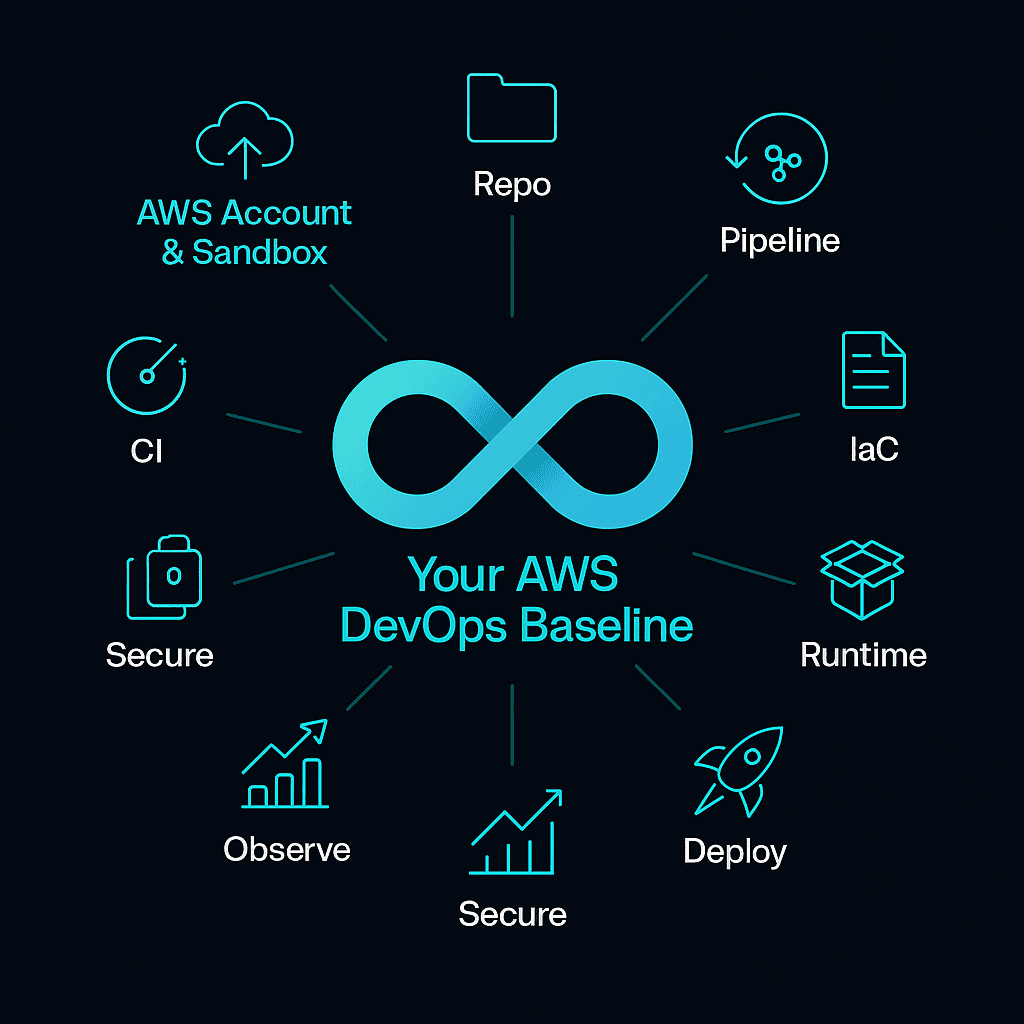
Start small and ship something. This DevOps with AWS tutorial breaks the first iteration into nine moves.
- Create an AWS account and a separate sandbox. Turn on AWS Organizations and guardrails.
- Pick a repo. Use GitHub or CodeCommit. Protect main.
- Build CI with CodeBuild. Run unit tests and SCA.
- Add CodePipeline stages. Source → Build → Test → Deploy. Gate production with approvals.
- Define infra as code. Use CDK or CloudFormation. Keep stacks versioned.
- Choose runtime. Lambda for event work, ECS, or EKS for services. Package to ECR.
- Deploy. Use CodeDeploy or blue/green strategies in your orchestrator.
- Observe with CloudWatch metrics, logs, and alarms. Add traces with X-Ray.
- Secure the path. Least-privilege IAM, secrets in Secrets Manager, audit with CloudTrail and Config. Align to the Security Pillar.
You now have a working baseline. Expand tests, add canaries, and automate rollbacks as your risk drops. This is your AWS DevOps complete tutorial in one pass. It also works as an AWS DevOps tutorial for beginners to bookmark.

Looking for a long-term partner?
At AppRecode, we provide 24/7 AWS cloud management services that keep your infrastructure resilient, secure, and cost-efficient — so your team can focus on building products, not fighting fires.
Get Managed Cloud SupportCore AWS DevOps Tools
Here is the short list you will actually use. Think pipeline first, then runtime, then ops.
- CodeCommit, CodeBuild, CodePipeline, CodeDeploy: source, build, pipeline, and deploy.
- ECR, ECS, EKS, Lambda: images and runtimes for containers and serverless.
- CloudFormation and AWS CDK: infrastructure as code.
- CloudWatch and X-Ray: logs, metrics, traces.
- CloudTrail, Config, IAM, Secrets Manager, Systems Manager: governance and secure ops.
For deeper patterns, the 2024 Well-Architected refresh is your north star. If you came here looking for the best AWS DevOps tutorial, combine that doc set with the step plan above and iterate.
Best Practices for DevOps with AWS
Keep the rules tight
Start with trunk-based development, short-lived branches, and pull requests with required checks. Automate tests early. Use IaC for every byte of cloud configuration. Tie deployments to versioned artifacts. Track DORA metrics.
Lock down identities
Enforce least privilege, rotate secrets, and monitor detections. Use change controls that fit automation, not ticket queues that stall flow. The 2024 Security Pillar gives concrete guardrails you can apply as code.
Close the loop with observability
Emit app metrics, traces, and logs. Alert on SLOs, not noise. Tag resources for cost and ownership. Review against Well-Architected on a regular cadence.
Expert Insight. Common Mistakes DevOps Teams Make on AWS
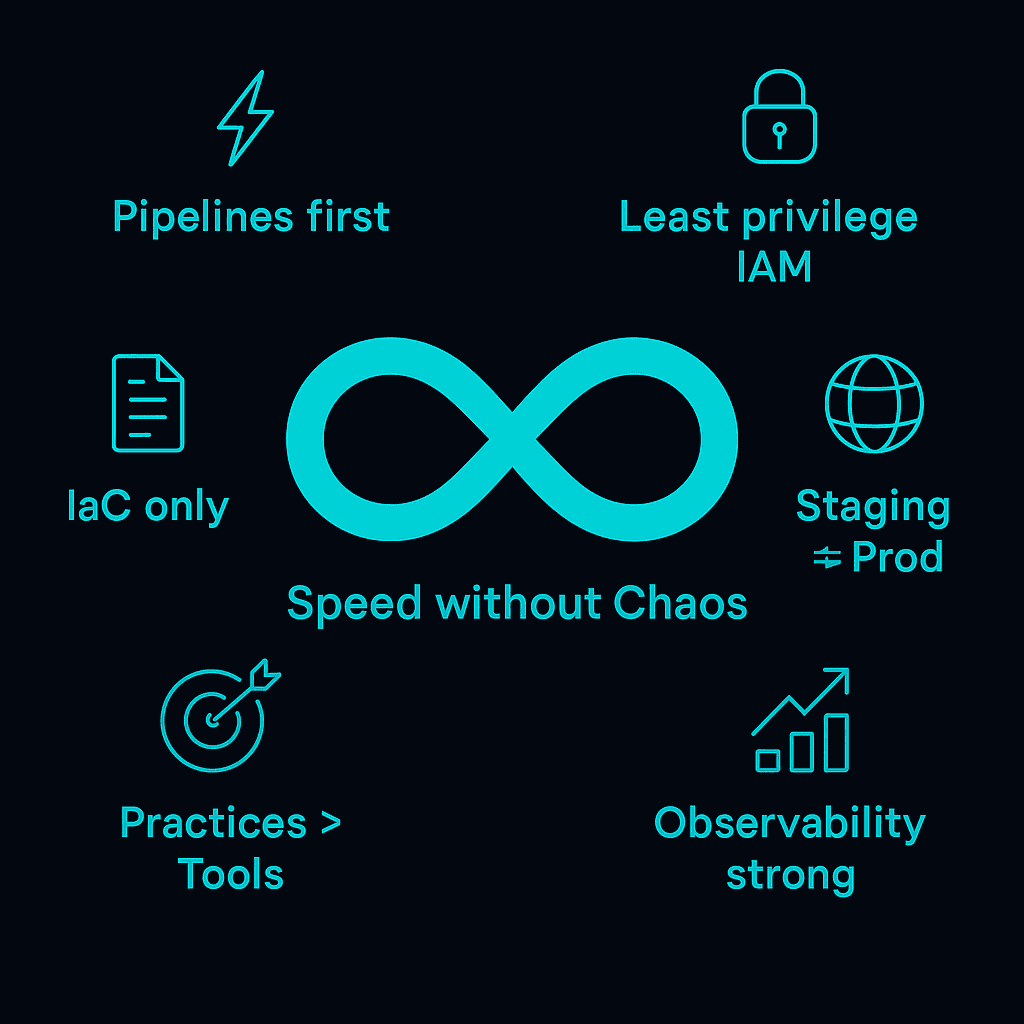
Teams repeat the same errors. Avoid these six.
- “Pipelines later.” No. Build the pipeline before the app grows.
- Click-ops infrastructure. If it is not in CDK or CloudFormation, it will drift.
- Overprivileged IAM. Start with least privilege and permissions boundaries.
- No environmental parity. Keep staging and prod as close as budgets allow.
- Chasing tools, not outcomes. DORA shows performance comes from practices and focus, not tool bingo.
- Thin observability. If you cannot see it, you cannot roll back fast.
Fix these early to keep speed without chaos.
“The hardest part is not YAML or IAM. It is picking a small scope and shipping every day.”
Nazar Zastavnyy, Founder at Apprecode
Case Study
We have a case to showcase, no pun intended. It shows how a small team got to daily, safe releases without blowing up prod. A seed-stage SaaS team needed daily releases without outages. They started with one service on ECS and a basic pipeline.
The key focus was on one service, clear guardrails, and quick feedback. The goal was simple: Ship faster, sleep better, and spend wisely.
Approach
They moved infra to CDK, added unit and smoke tests in CodeBuild, and set a two-stage CodePipeline with a manual prod gate. They stored secrets in Secrets Manager and added CloudWatch alarms tied to rollback. They trained the team on trunk-based development and made SLOs visible.
Result
Releases moved from weekly to daily with fewer rollbacks. On-call alerts dropped because alarms targeted user-facing SLOs instead of raw CPU. Costs stayed under control due to clean teardown in IaC and resource tagging.
Takeaway
The team didn’t chase tools. The path to production was fixed, thus making risk visible. As a result, the sequences proved efficient: Start small, automate the basics, and let daily wins compound.
Best AWS DevOps Tutorial Summary. What to Remember
You saw how to stand up a clean AWS pipeline and keep it safe. Start with source control, CI, and IaC. Add safe deployment, observability, and least privilege. Review against Well-Architected 2024 and the Security Pillar as you grow. DORA’s 2024 findings remind us that practice and focus matter more than tool count. When you are ready, compare clouds with this guide to choose fit, not hype. Then keep shipping.
Need hands-on help?
Build your next release with Apprecode. Contact us and get expert advice and project estimation.
Explore DevOps Services